VENDERIT
Get a Quote

AI & Automation

AI integration services for the systems you already paid for

Keep your systems. Add the intelligence to the three places where it pays for itself.

AI integration services are for businesses that do not want a rebuild. You already have a website, a CRM, a POS, a folder of spreadsheets and a few internal tools that mostly work.

Automation · live

An animated workflow canvas: a delivery-completed trigger fires, a condition checks the signed receipt, and light travels the wires to three action nodes that notify the team, close the order record and send the invoice.

The follow-up nobody has to remember — the invoice goes out on its own.

Years of builds delivered for Philippine businesses
20+

Years of builds delivered for Philippine businesses

Lifetime assistant included if we build the platform too
Free

Lifetime assistant included if we build the platform too

Per month to host the integration after year one
₱499

Per month to host the integration after year one

Uptime on the infrastructure your AI features run on
99.9%

Uptime on the infrastructure your AI features run on

What's included

01

An assistant on the website you already own

WordPress, Shopify, Wix, Squarespace or a custom build — the assistant goes in as a script, trained on your existing pages and price list. No migration, no redesign, no touching the theme your developer left behind.
02

AI inside your CRM records

Every enquiry arrives summarised in three lines, tagged by intent and urgency, with duplicates flagged and a suggested next action drafted. Your sales team opens a record that is already read, instead of a wall of pasted chat.

03

Documents and images turned into records

IDs, receipts, deposit slips, purchase orders, permits and delivery receipts read into structured fields, filed against the right transaction. Low-confidence extractions are routed to a person rather than saved as if they were certain.

04

Spreadsheets that answer questions

Ask your sales or inventory sheet a question in plain language and get the number plus the rows behind it, so the answer can be checked. No formula rewriting, no waiting for the one person who understands the pivot table.

05

Drafting where your team writes the same thing daily

Quotations, replies to reviews, product descriptions, follow-up messages and internal summaries drafted from your own templates and data. Everything goes to a human for approval before it is sent — drafting is automated, sending is not.

06

Cost control, guardrails and a kill switch

Per-feature spend caps, usage dashboards, model routing so cheap requests do not run on expensive models, and one switch that turns any feature off if it misbehaves. You always know what the AI cost you this month.

How we work

  1. STEP 1

    Find where AI is worth the API bill

    We look for high-volume reading, sorting and retyping — not the impressive demo. Each candidate gets a volume count and an estimated cost per run before it is on the list.

    You get: A shortlist of three workflows with volume, cost per run and payback

  2. STEP 2

    Check what your systems will let us touch

    APIs, exports, webhooks, permissions, plugin limits and where a vendor has locked the door. Honest gaps get named here, not discovered halfway through.

    You get: An integration audit: APIs, exports, permissions and blockers

  3. STEP 3

    Build one feature behind a flag

    The first workflow only, switchable off, with a spend cap and a rollback. Nothing goes near live records until it has run against copies of them.

    You get: A working feature on staging with a spend cap and rollback plan

  4. STEP 4

    Test it against your own history

    We run it over records you already know the answers to and count where it was right, wrong or unsure — then tune, or tell you it is not worth shipping.

    You get: An accuracy report on your real records, not on a demo dataset

  5. STEP 5

    Ship, then watch cost and accuracy

    Live with usage logging, monthly spend review and a queue of the cases it flagged as uncertain, which is where the next round of improvement comes from.

    You get: Live feature with a usage dashboard and a monthly review

What we build with

  • OpenAI and Anthropic model APIs, chosen per task and per budget
  • Retrieval over your own documents, records and product data
  • REST, webhook and CSV integrations for systems without a modern API
  • WordPress, Shopify and custom site embeds
  • Google Workspace and Sheets APIs
  • Per-feature usage logging and spend caps on VenderIT Cloud

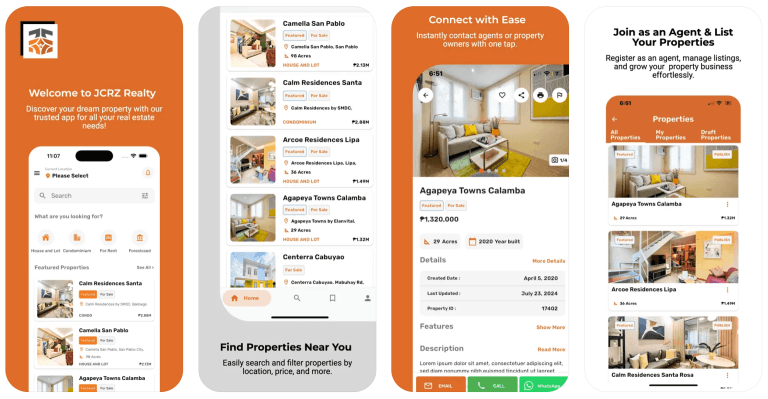
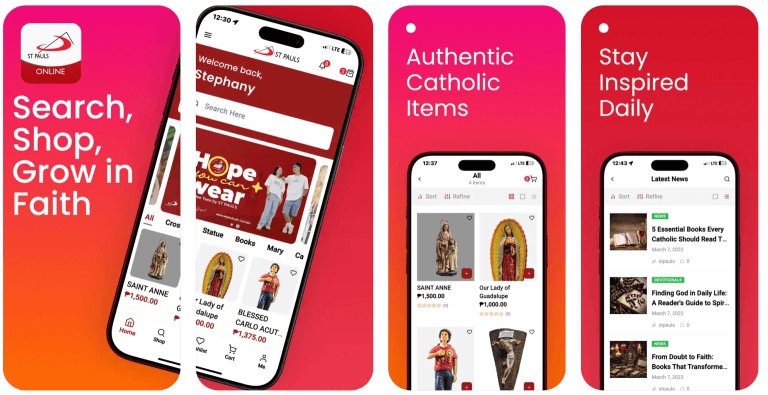
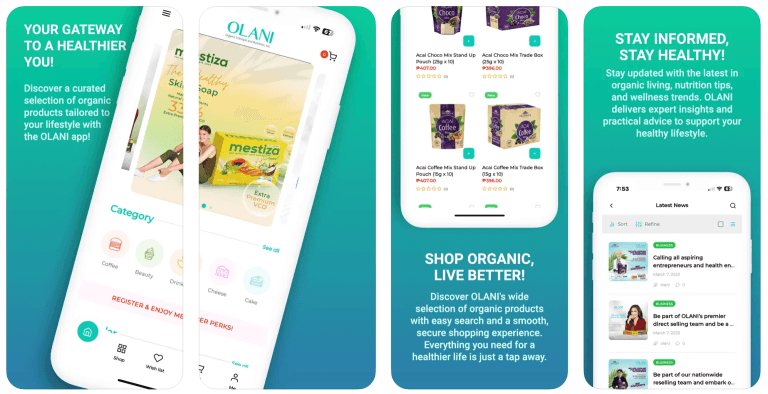
Projects we've delivered

Pricing

Scoped per workflow — or free for life inside a new build from ₱99,000

Retrofitting AI into systems you already own is quoted per workflow after the integration audit, so you can start with one and stop if it does not pay. If we build the platform instead, the assistant is included free for life in Starter (₱99,000), Pro (₱149,000) and Business (₱199,000). Model usage is billed by the provider and passed to you at cost; hosting from ₱499/month.

See what's included

Questions

Answers before you ask

Something not covered? Message us — a real person from the team replies, usually the same day.

Ask us directly

No. Most of this work happens on systems we did not build — a WordPress site from three agencies ago, a CRM you pay for monthly, a POS with a vendor lock. We integrate where there is a door, and where there is not, we say so before you spend anything. Moving to our platform is an option, not a condition.

We use OpenAI and Anthropic APIs and pick per task: a cheap fast model for classification and tagging, a stronger one for drafting and reasoning. You can specify a provider if your policy requires it. Because model routing sits in our layer, switching later is a configuration change rather than a rebuild.

The model provider bills usage, and we pass it through at cost with no markup, under a spend cap you set per feature. It scales with volume, so we size it during the audit: you see an estimated cost per run before the build. Hosting for the integration itself starts at ₱499/month after year one.

There is usually another way in — a scheduled export, an email-parsed report, a database view, a shared folder. Where nothing exists, screen-level automation is possible but fragile, and we will tell you that rather than sell it. Sometimes the right answer is to add AI around that system and leave it untouched.

Two ways. It answers from your approved records rather than general knowledge, and it shows the source rows so a person can check. Anything below a confidence threshold is routed to a human instead of guessed. Before launch we score it on records where you already know the correct answer, and you see that score.

It is quoted per workflow rather than as a platform fee, because the range is wide: a site assistant on an existing WordPress build is small, a document-reading pipeline feeding a CRM is not. The audit comes first and produces a fixed number per workflow, so you can start with one. New builds include the assistant free for life, from ₱99,000.

Yes, that is one of the most common requests. The assistant is trained on your existing pages, services and price list, then embedded with a script — no theme rewrite, no plugin conflicts with what is already running. If the site is slow or broken underneath, we will tell you, but you are not obliged to redesign to get the assistant.

More ai & automation services

Let's talk about your project

Tell us how your business works. We'll come back with a clear recommendation, a timeline and a price — no obligation.